Add a domain
Route a host on your own domain to an app and verify you own the domain.
Add the host
Open the app on the canvas, go to the Domain tab and select Add domain.
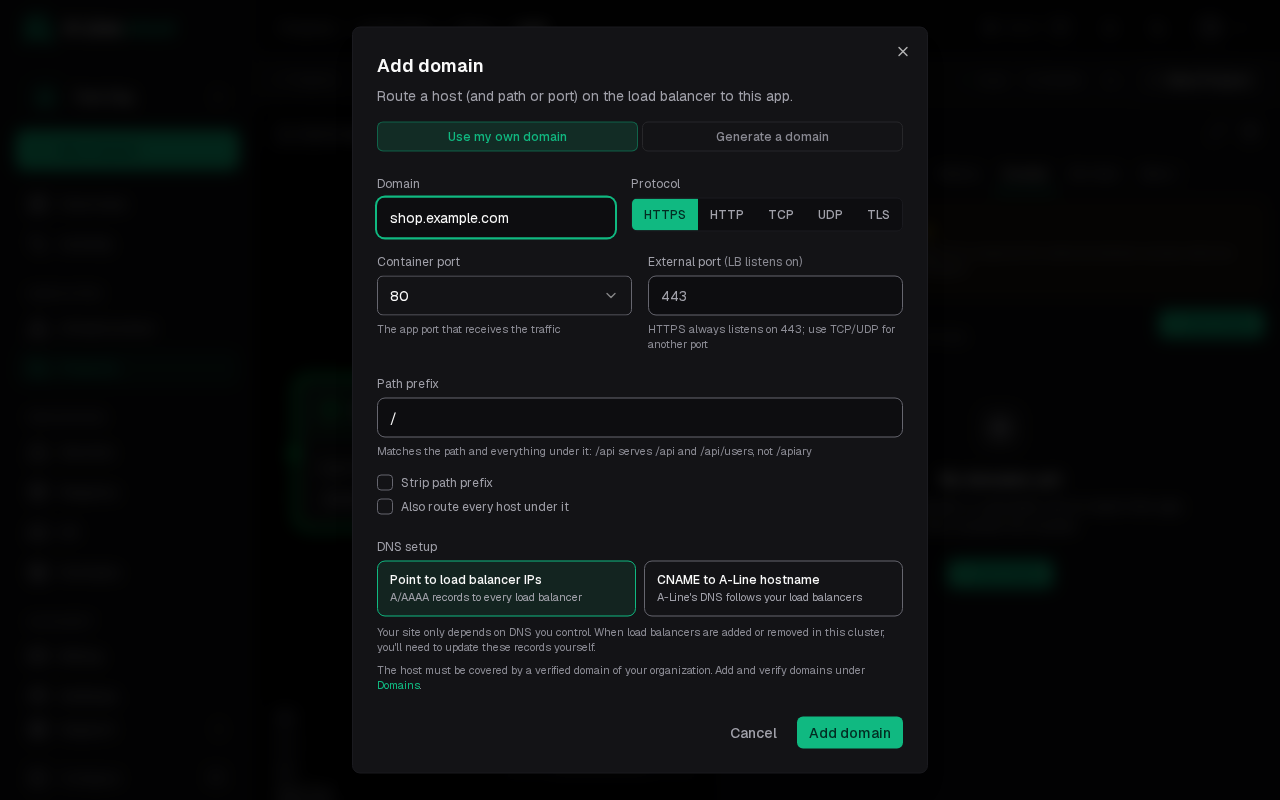
- Domain: the host to serve, such as
shop.example.com. Generate a domain gives you a platform host instead. - Protocol: HTTPS listens on port 443; TCP and UDP can use another external port.
- Send the PROXY protocol header (TCP only): each connection starts with a PROXY protocol header carrying the client's address. Turn it on only if the app accepts the PROXY protocol, or its connections break.
- Container port: the app port that receives the traffic.
- Path prefix: route only a path and everything under it.
- DNS setup: point the host at the load balancer IPs with A/AAAA records, or CNAME it to an A-Line hostname that follows your load balancers.
Select Add domain.
Verify the domain
A host is only routed once a verified domain of your organization covers it. If none does yet, a dialog asks what to verify: the base domain and every subdomain under it, or only this host. Select Start verification.
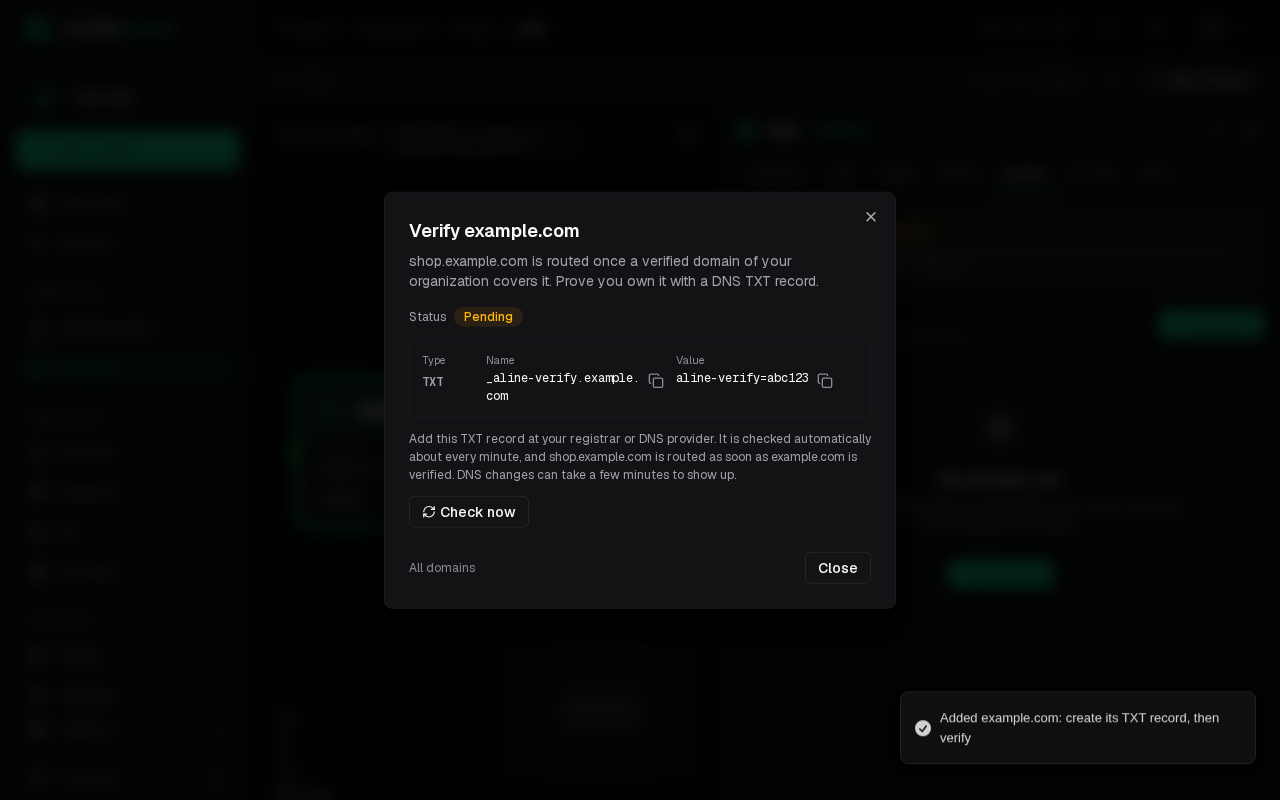
Add the TXT record it shows at your registrar or DNS provider. It is checked about every minute; Check now checks right away. As soon as the domain is verified the host is routed. DNS changes can take a few minutes to show up.
Manage verified domains under Domains in the sidebar. See domains and certificates for how verification and certificates work.