Create a project
Create the project that groups your apps.
A project groups apps that belong together and runs on a cluster, so create a cluster first.
Create the project
Open Projects in the sidebar. With no projects yet, the page shows Create your first project; later, use New Project.
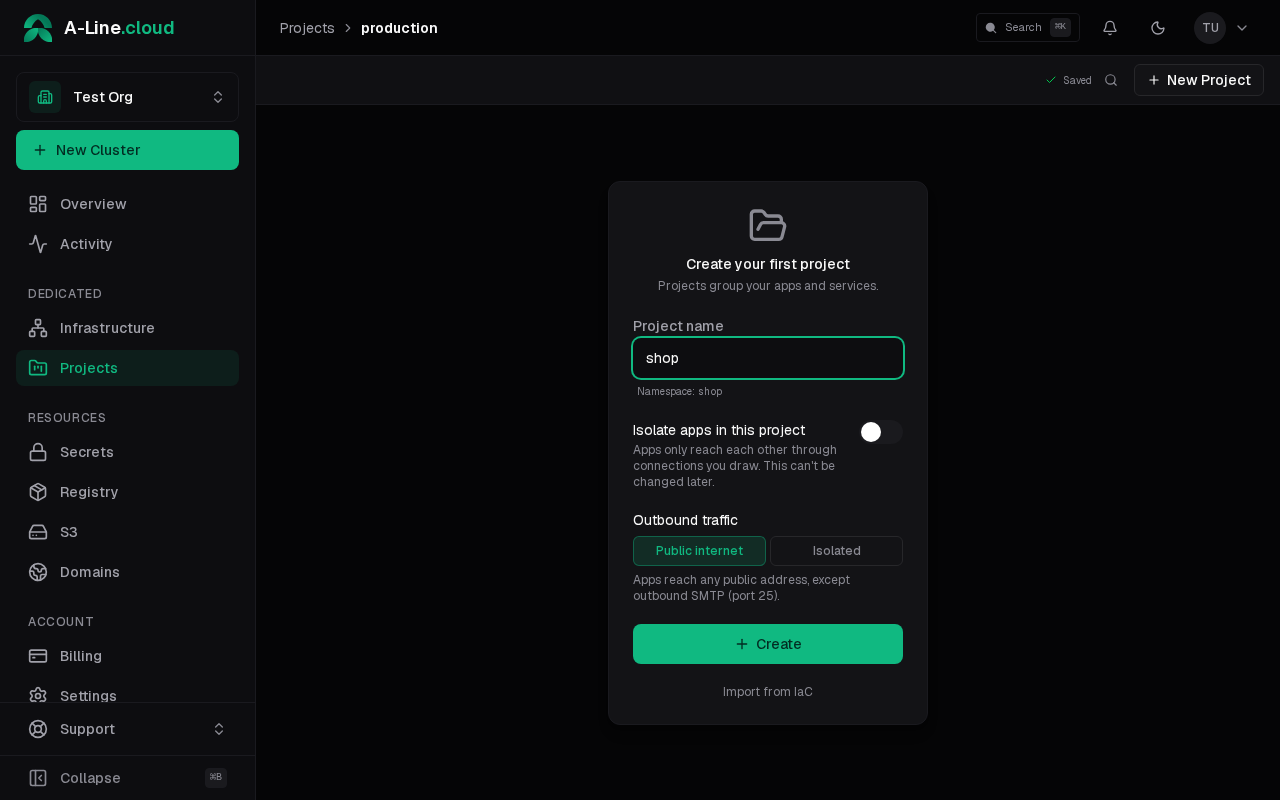
- Project name: the namespace the project gets is shown under the field.
- Isolate apps in this project: apps only reach each other through connections you draw. You can switch it later in the project settings.
- Outbound traffic: Public internet lets apps reach any public address except outbound SMTP (port 25); with Isolated, apps only reach destinations you allow in the project settings.
Select Create. The project opens on its canvas.
Next: deploy an app.